Tools
Planning tools built for freight and warehouse reality
Each app runs in the browser with millimetre inputs and shared packing logic. The trailer planner is built around your own internal dimensions — length, width, and deck height — so you model the actual cube, not a one-size-fits-all sketch. None of this replaces on-site checks, weighbridges, or regulations — it gives you a consistent plan to talk around.
Explore the tools
Pallet build planner
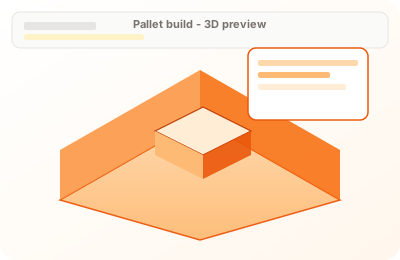
Enter carton or mixed cargo lines in millimetres and see how they pack on a pallet footprint. The tool builds layers and a 3D preview so height limits and awkward shapes are visible before you commit on the floor.
Open pallet build plannerWant the full feature set and subscription options? View pricing · Contact us
Pallet build planner
Problems it helps with
- Mixed carton or SKU heights that do not match a standard pallet diagram from a customer
- Need to know whether a max stack height is respected before you band or wrap
- Tyres, poles, or awkward footprints where a quick 3D view avoids a bad surprise at the fork
What it does
- Takes line items with L×W×H in millimetres and quantities you define
- Packs layers on a pallet footprint (EUR, UK, US, or custom) using the same grid logic as our other planners
- Shows a 3D preview and can produce a printable loading list where supported
Outcome: Reduces rework when dimensions change late and gives ops a shared picture of “what sits on the pallet” before it leaves the cell.
Open pallet build plannerAir container planner
Start with the ULD internal dimensions your quote is based on. This tool keeps the booking, build, and ops conversation aligned before anything hits the floor.
Problems it helps with
- ULD type confusion (LD3 vs LD6 vs main-deck pallets) when multiple teams touch the same quote
- Quick cube checks before a build plan is produced
- Need a consistent internal-dimension reference for customers, ops, and carriers
What it does
- Provides a ULD preset list with internal dimensions (beta set of common types)
- Shows approximate internal volume so quotes and expectations are aligned
- Acts as the starting point for the full air cube planner UI (packing + loading list)
Outcome: Cuts the back-and-forth when “it should fit” becomes an argument — everyone starts from the same container dimensions.
Open air container plannerTrailer cube planner
Use your real trailer type: set internal length, width, and deck height yourself — curtain-side, box, or rigid — so you are cubing against the vehicle that will turn up, not a generic outline.
Problems it helps with
- Curtain-side or box trailers where internal width and deck height are the real constraints
- Balancing weight and volume when the manifest keeps moving
- Need a credible layout to brief a driver or gate without drawing in three different tools
What it does
- Models a single deck with the internal dimensions you enter (your trailer, your rules)
- Places items with the same packing engine as the warehouse view, tuned for road freight
- Exports layouts and loading lists for the yard (where the tool supports it)
Outcome: Cuts the gap between office plan and trailer reality — fewer “it looked fine on paper” moments when the curtain opens.
Open trailer cube plannerWarehouse floor loading
Problems it helps with
- Rough floor or bay size with optional racking strip — you still need to see if the same stock fits sensibly
- Floor-first stacking when you care about how the slab is used, not just the trailer door
- Racking strip wider than the usable lane — planning falls back to full-floor load instead of failing silently
What it does
- Defines floor from area or length × width, optional selective pallet racking strip
- Live 3D preview of placements with lane-aware context where it applies
- Uses the same packing rules as the trailer tool so plans do not contradict each other
Outcome: Helps warehouse and transport agree on one footprint story before pick face and outbound trailer plans diverge.
Open warehouse floor loading